Automatic Saving of Data
Your Matoha machine can be set to automatically save every measurement it makes, without the need to constantly use the app.
This is particularly useful when processing a batch of items for sorting, where you may want to analyse the overall composition afterwards.
If the video does not start, use this link.
Step 1 - Pre-requisites
Please create a collection for your measurements.
Please connect the instrument to Wi-Fi.
Step 2 - Set up autosaving
Phone/Tablet version | Desktop version |
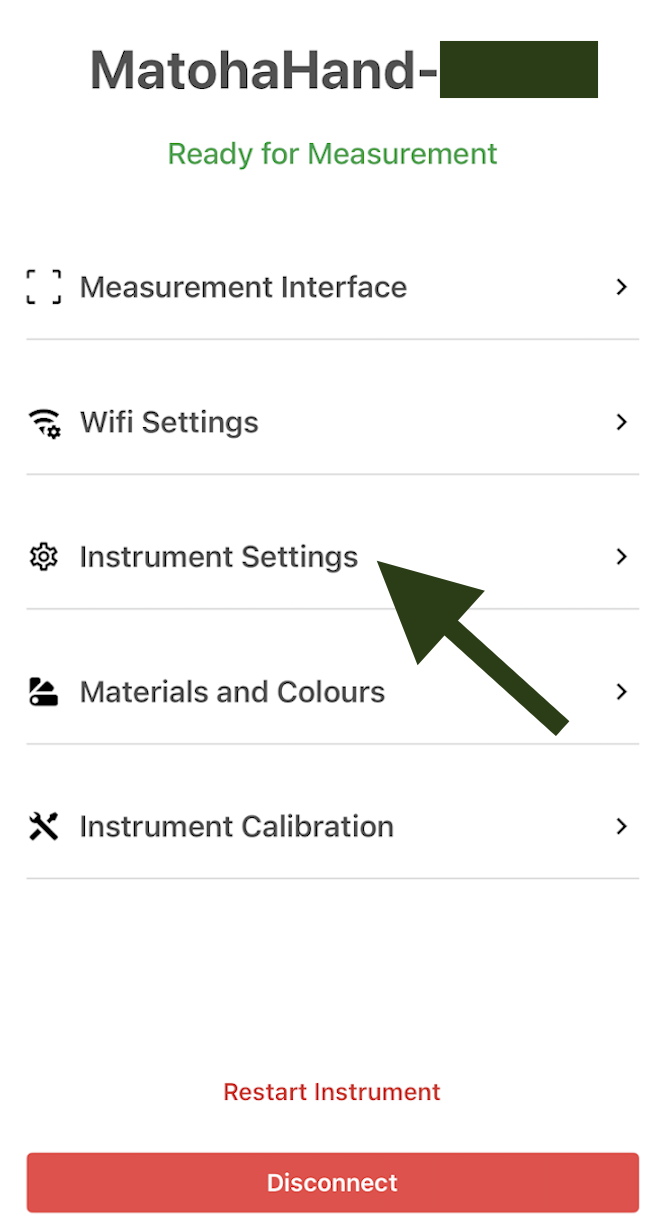
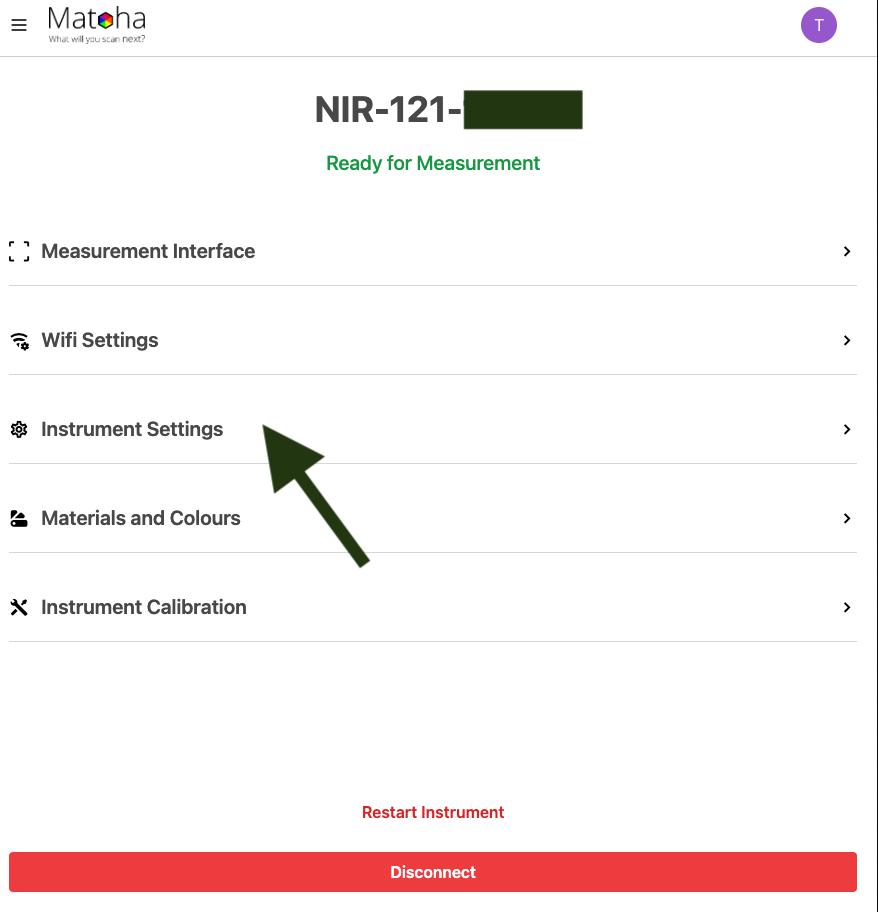
1.Go to "Instrument Settings"
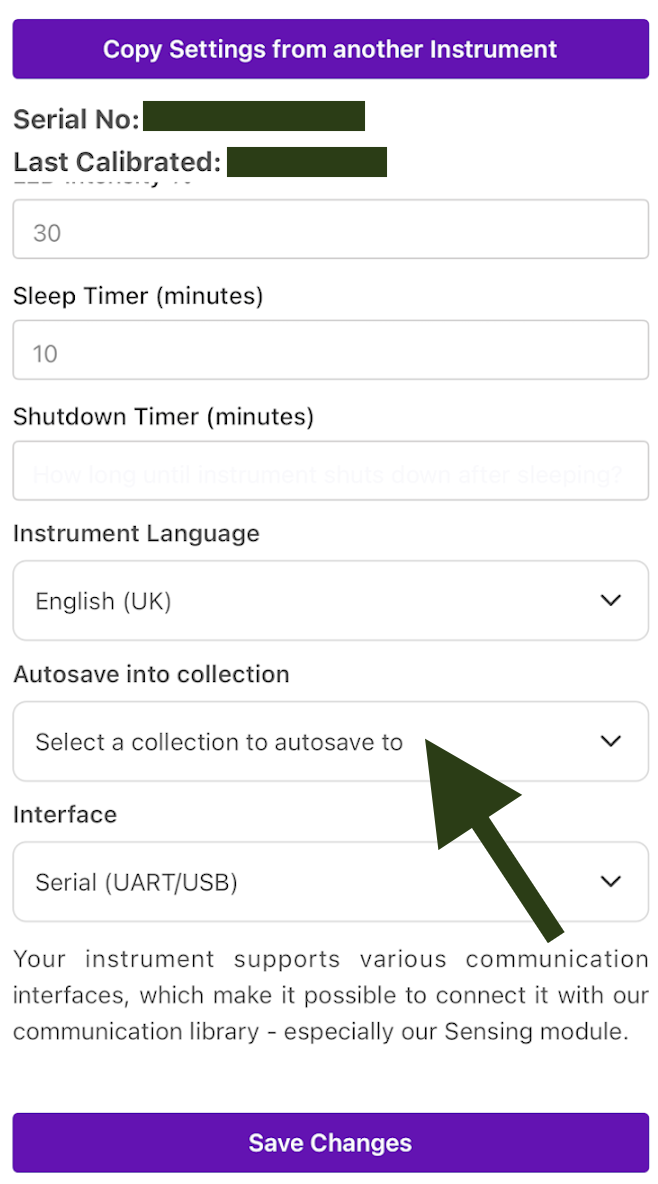
2. Pick the collection that you want your data to be automatically saved in, and select "Save Changes".
|
2. Pick the collection that you want your data to be automatically saved in, and select "Save Changes". 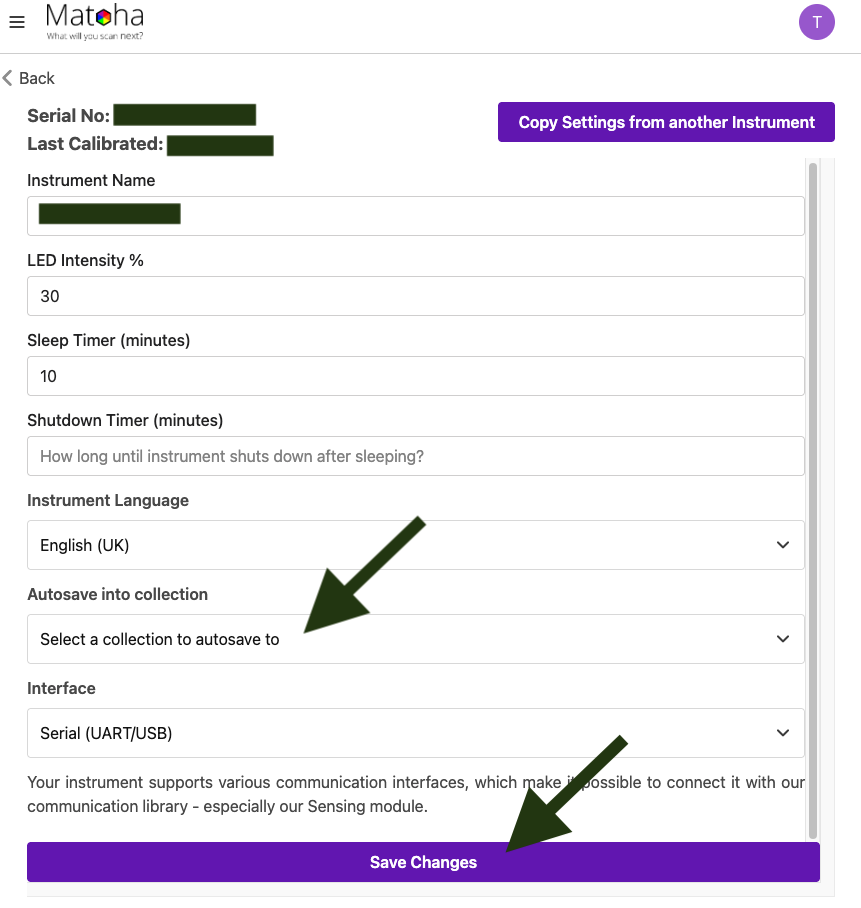 |
Step 3 - Use autosaved data
Once autosaving is enabled, the device uploads measurement results to the cloud every 5 minutes. This means there will be a short delay between when a measurement is taken and when it appears in the cloud.
To optimise data use and preserve the device’s limited memory, only the measurement results are stored, not the full spectra.